TeslaX
HomeFeaturesBattery AnalyticsAI AdvisorCertificateSupportDownloadالعربيةGet the app
Everything about your car, on one screen

Everything that matters about your car, in your pocket

Monitor battery health, charge sessions, trips and location, and run everyday commands from one fast, clear app.

Secure official Tesla sign-in — we never ask for your Tesla password.
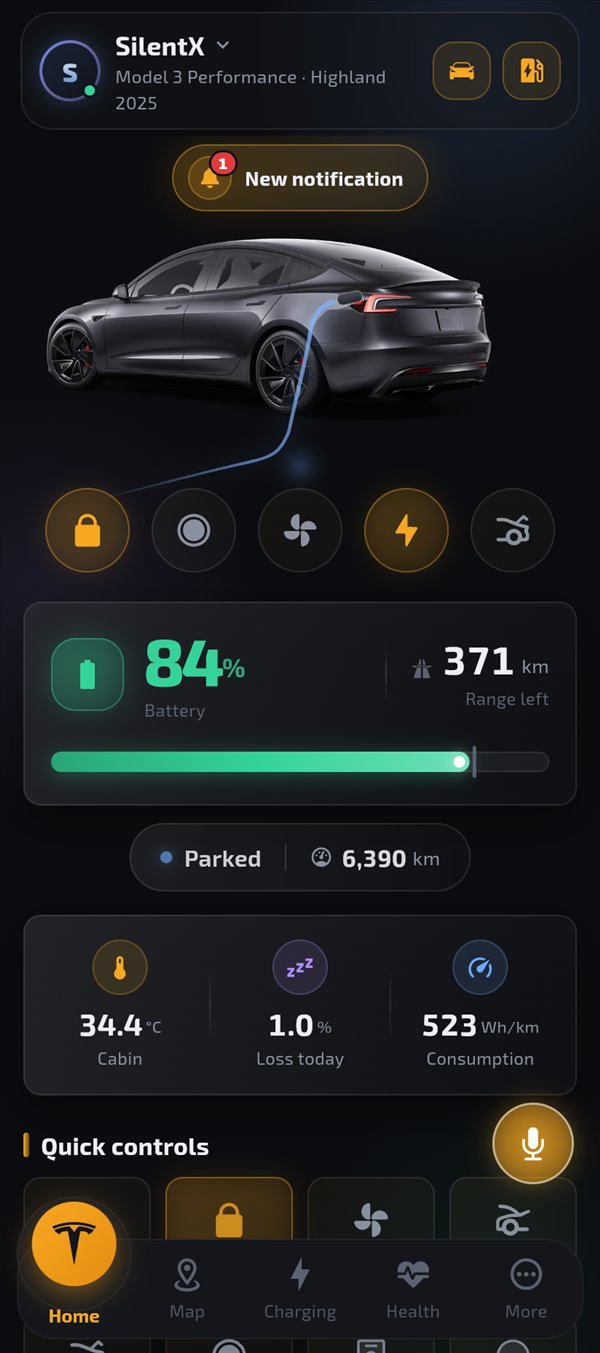
TeslaX app home screen
Control your car with one tap Know your battery's health precisely Widgets & Live Activity on your Home Screen Smart alerts before it's too late Automations that work while you sleep
Easy to start

Three steps and you're in

1

Create your account

Sign up with your email in a minute — we ask nothing about your car.

2

Link your Tesla account

Sign-in happens on Tesla's official page — we never see your password.

3

Control and monitor

Everything is ready: charging, climate, health, trips and alerts.

Everything you need

Features built for Tesla drivers

Everyday tools that make owning your Tesla easier and more enjoyable.

Charging control

Start/stop charging, set your charge limit, and review every session with energy and cost.

Charging control View

Vehicle status

Battery, range, climate, doors, locks and location — all at a glance.

Vehicle status View

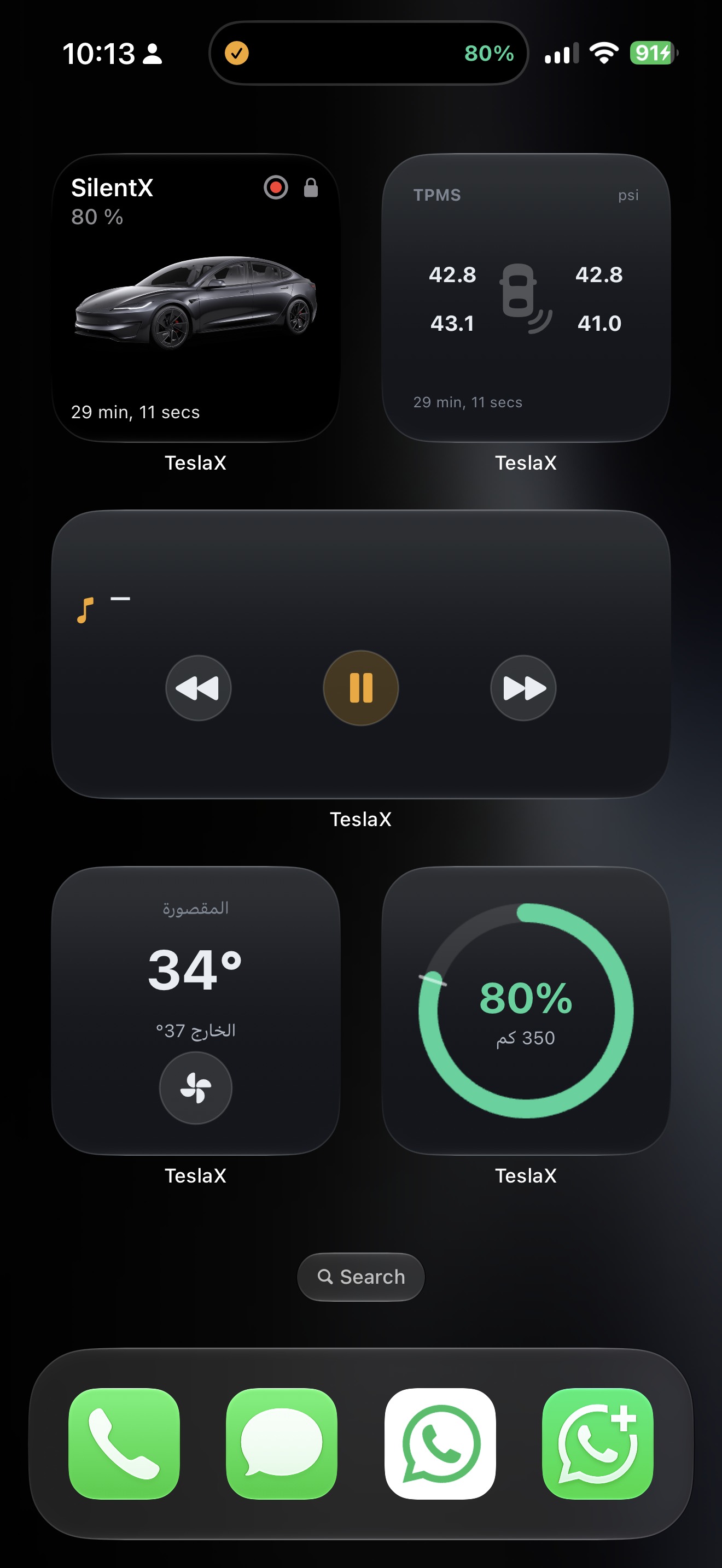
Home screen widgets

Dashboard, battery, climate, tires, media and more — control without opening the app.

Home screen widgets View

Live Activity

Charging, driving, climate and navigation on the Dynamic Island and lock screen.

Live Activity View

Apple Watch

Battery status, quick commands and watch-face complications.

Battery health

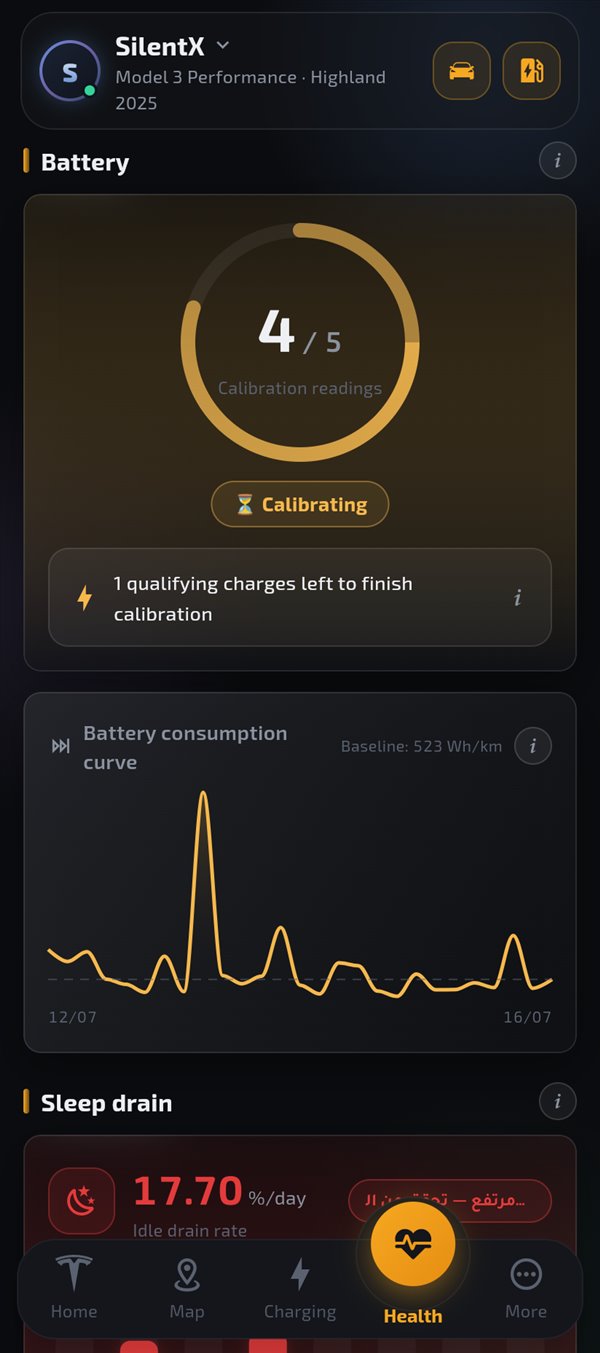
Track estimated capacity, degradation trend and charge quality over time.

Battery health View

Climate preconditioning

Warm or cool the cabin before you get in — comfortable in every season.

Climate preconditioning View

Find your car

See where you parked and get guided straight back to your car.

Find your car View

Chargers & map

Find the nearest chargers and follow your car live on the map.

Chargers & map View

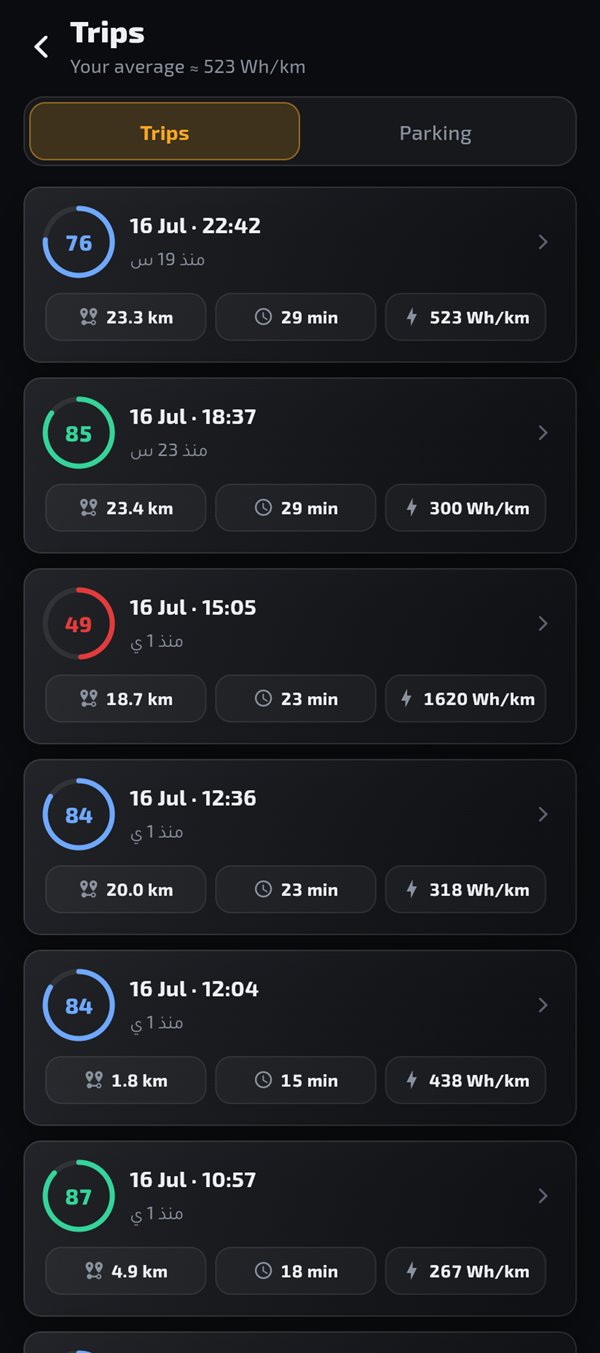
Insights & trips

Understand your consumption, efficiency and trips with clear, useful charts.

Insights & trips View

Smart alerts

Notifications for what matters: charging done, tires, sentry and more.

Smart alerts View

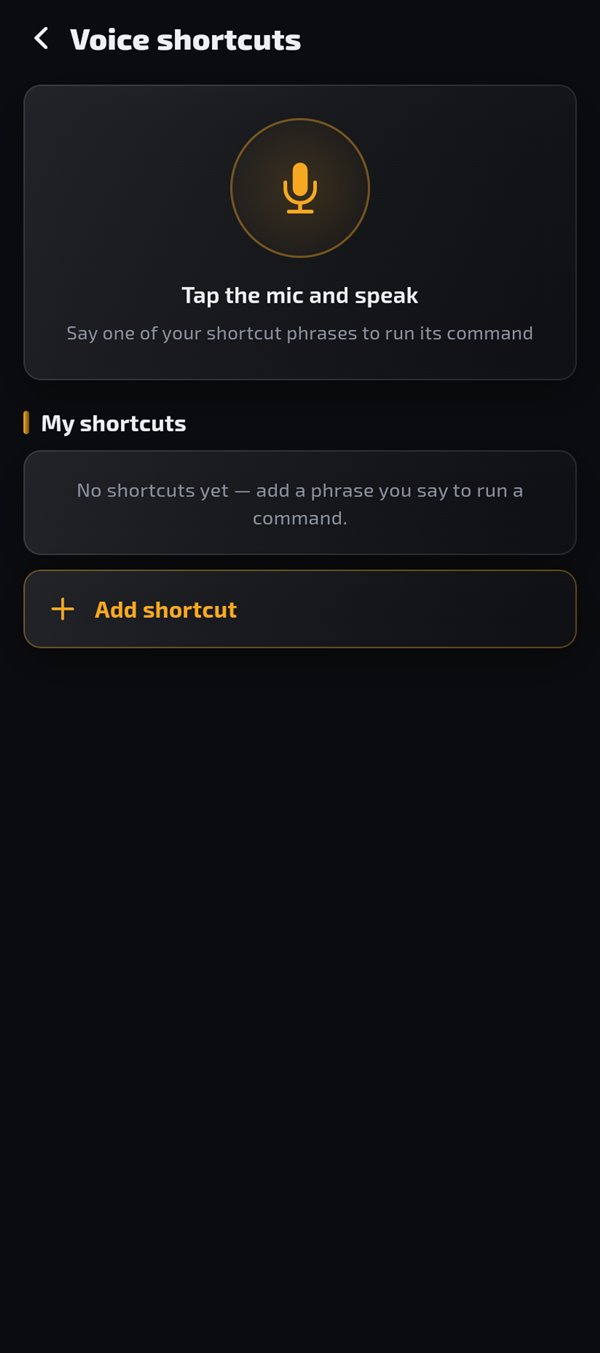
Voice & Siri

A floating mic you drag anywhere, and "Hey Siri, TeslaX lock the car" runs without opening the app.

Voice & Siri View
Comparison

TeslaX vs the official Tesla app

The official app is great for basic control — TeslaX adds the analytics and intelligence layer on top.

Feature Tesla app TeslaX
Basic control Yes Yes
Battery analytics Limited Advanced
Battery certificate No Yes
Degradation analysis Limited Yes
Live BMS data (cell balance & temps) No Yes
Per-session charging efficiency No Yes
Charging history Limited Advanced
AI assistant No Yes
Smart voice commands Limited Yes
Automations No Yes
Advanced reports No Yes
A tour inside the app

An experience built to impress

Every screen tells a story: control, charging, health and trips — in a design as sleek as your car.

Home
Home
Climate
Climate
Charging
Charging
Battery health
Battery health
Map
Map
Oman chargers
Oman chargers
Vehicle insights
Vehicle insights
Trips
Trips
Smart alerts
Smart alerts
Smart automations
Smart automations
Notifications
Notifications
Voice shortcuts
Voice shortcuts
More
More
Settings & privacy
Settings & privacy
On the Home Screen

Real widgets + Live Activity

Monitor and control your car from the Home Screen, Dynamic Island and lock screen — without opening the app every time.

Widgets screen 2
Screen 2 — Hero · Tires · Media · Climate · Charge
Widgets screen 3
Screen 3 — more TeslaX widgets
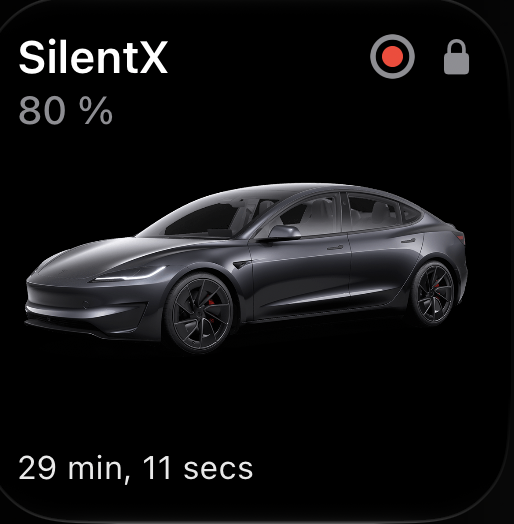
Car hero

Car hero

Name, battery %, sentry, lock and car image with last update.

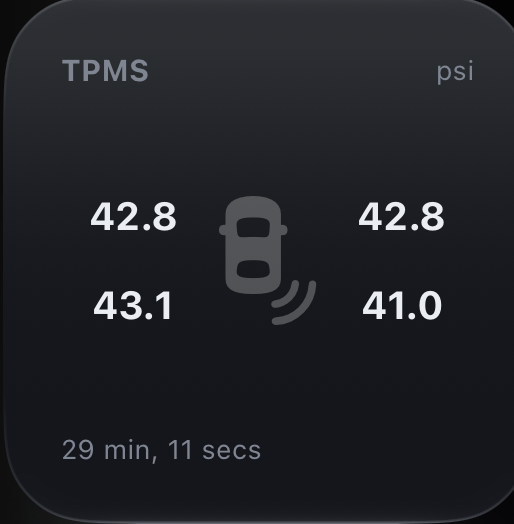
Tire pressure

Tire pressure

All four TPMS readings with low-pressure warning.

Media

Media

Now playing with previous / play-pause / next.

Climate

Climate

Cabin and outside temps with a climate toggle.

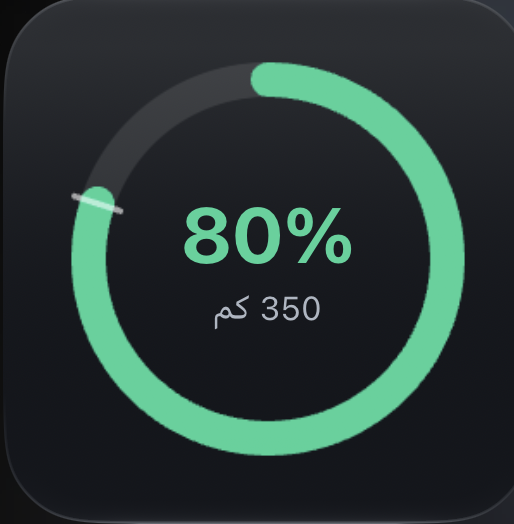
Charge ring

Charge ring

Battery % and range in a live ring.

Widget set

Widget set

A full TeslaX widget board on the Home Screen.

Dynamic Island

Live Activity while charging and driving

A live activity on the Dynamic Island and lock screen: charge progress and ETA, speed while driving, cabin preconditioning, navigation, media, and an unlocked-car warning. Enable or disable each type from Smart Alerts.

  • Charging in progress + charge complete.
  • Driving mode and remote climate.
  • Navigation, media and unlocked warning.
  • Independent toggles in Smart Alerts.
Dynamic Island Live Activity
Apple Watch
On your wrist

Watch app and face complications

See battery level and run lock, climate and charge commands from the watch, with face complications that refresh automatically.

  • Circular, rectangular and inline complications.
  • Session sync from iPhone via WatchConnectivity.
  • Charge-complete alerts reach the watch automatically.
Smart charging
Charging
Charge smarter

Every charge accounted for

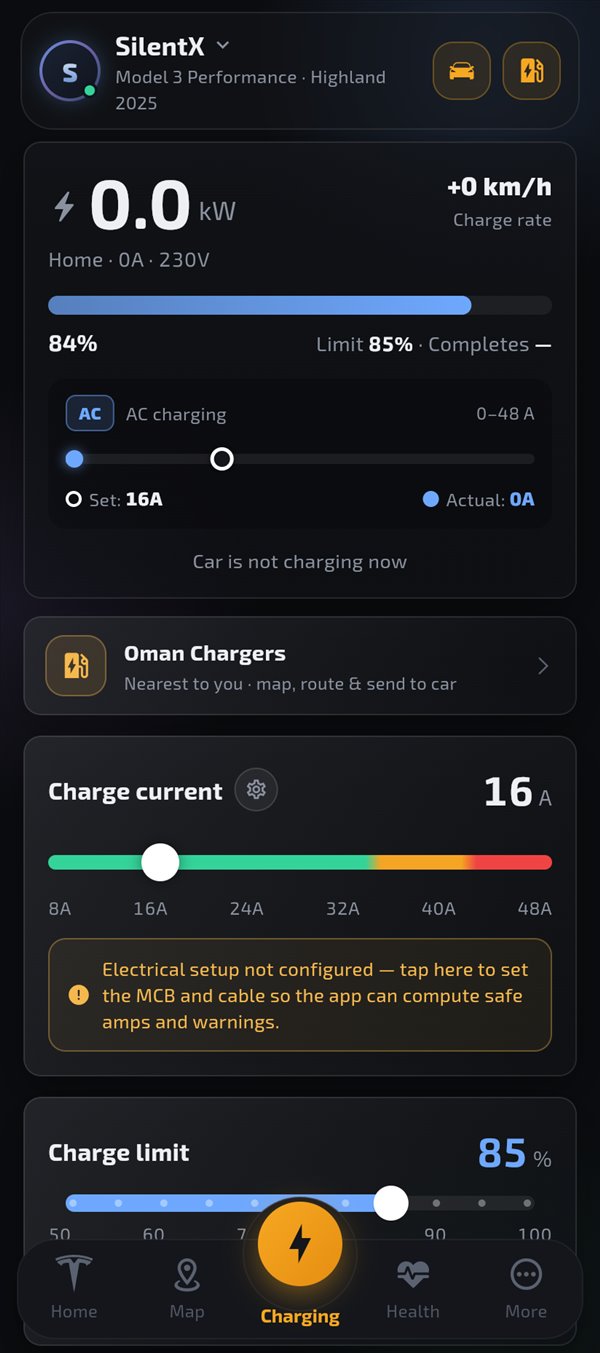
Track energy, duration and cost, set your charge limit, and compare sessions to see where your consumption goes.

  • Start and stop charging remotely.
  • Set the charge limit and supported current.
  • Review energy and cost for every session.
  • Create schedules that fit your routine.
Trips
Trips
Every drive, understood

Every drive tells a useful number

See distance, energy and efficiency, and compare drives to spot what raises consumption.

  • Per-trip detail: distance, energy and efficiency.
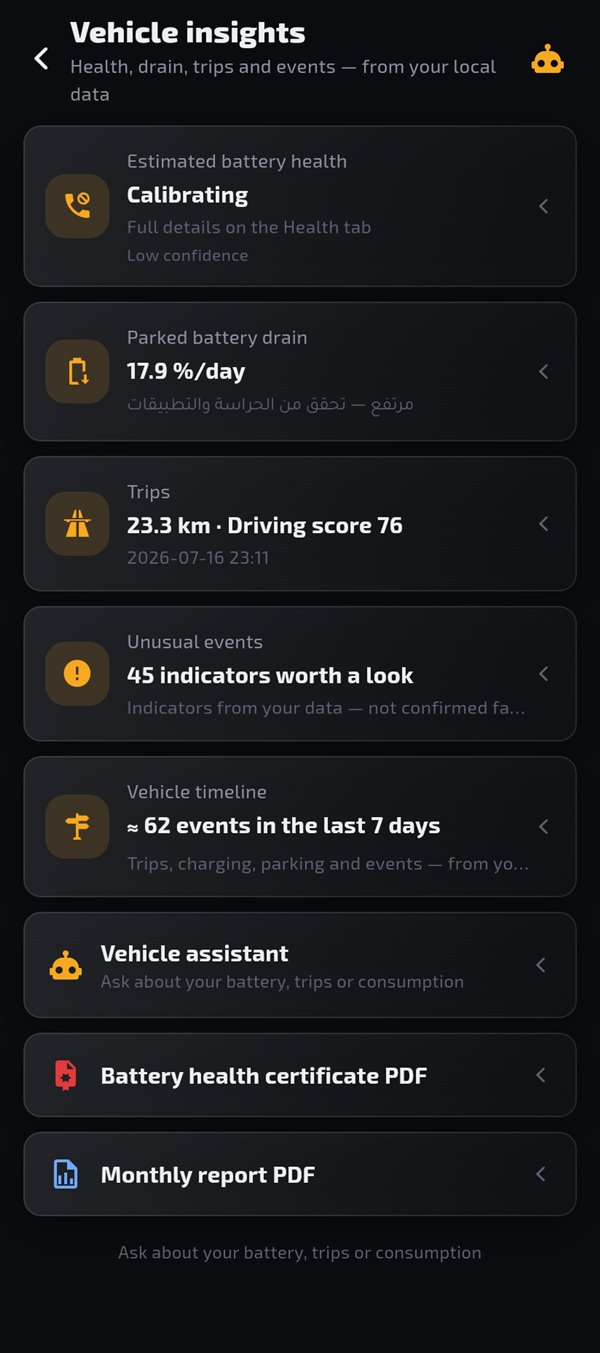
  • Insights into phantom drain and anomalies.
  • See your car on the map and find your way back.
Trips Vehicle insights
Smart automations
Automations
Works on your behalf

Set it once, let it run

Create rules for charging, climate and alerts based on time, location and battery state.

  • Arrive home → charging starts automatically when the battery is below your limit.
  • Cool the cabin ahead of your recurring times automatically.
  • A reminder to plug in if you forget at night.
Privacy first

You are in control of your data

Your Tesla login happens on Tesla's official page and we never see your password. You can export your data or fully delete your account at any time.

  • Access tokens are encrypted, and you can disconnect Tesla anytime.
  • No ads, no advertising IDs, and no tracking.
  • Account deletion available in-app and on the website.
TeslaX
Designed to respect your privacy from the ground up.
FAQ

Everything you might ask

Is the app affiliated with Tesla?

No. TeslaX is an independent third-party app, not affiliated with or endorsed by Tesla, Inc. It uses Tesla's official Fleet API to access your car's data with your permission.

Do you need my Tesla password?

Never. Sign-in happens on Tesla's own official page, and we only receive an encrypted access token you can revoke anytime.

Does the app drain the car battery?

No. The app reads data smartly and only wakes the car when you ask, respecting its sleep to protect the battery.

What happens to my data if I delete my account?

Everything is permanently deleted: account, tokens, states, trips and charge sessions — from inside the app or via the account deletion page.

Does the app support multiple cars?

Yes — link more than one car and switch between them with a single tap from the home screen.

Does the app work outside Oman?

Yes. All car features work anywhere; the charger directory currently focuses on Oman and will expand.

Can I control the car with Siri?

Yes on iPhone: say "Hey Siri, TeslaX lock the car" and it runs in the background without opening the app, while unlock commands ask for Face ID. The in-app floating mic works on both iPhone and Android.

Are there widgets and Live Activity?

Yes. Home Screen widgets on iPhone and Android, Live Activity on the Dynamic Island and lock screen, and an Apple Watch app with complications — with toggles in Smart Alerts.

Get started

Download TeslaX and get going

Available now on Google Play, coming soon to the App Store. Install it, then link your car securely.

Have an account? Open the web app